
If your lights flicker, treat it as a warning sign and check the scope first: one bulb, one room, or the whole house. Tighten or replace a loose bulb, confirm the wattage matches the fixture, and make sure your LED works with the dimmer. Reset a tripped breaker once, then stop if it trips again. Run large appliances separately to spot overloads. If you notice heat, burning odor, buzzing, sizzling, or discoloration, shut off power and call an electrician—next you’ll see the most common causes and fixes.
Key Takeaways
- Treat repeated or worsening flicker, heat, burning odors, buzzing, or discoloration as hazards; shut off power and call an electrician.
- Identify scope: one bulb, one room, or whole house; broader flicker often indicates circuit overloads or utility/service connection problems.
- Check bulb and fixture compatibility, correct wattage, and LED/CFL dimmer suitability; incompatible dimmers commonly cause flicker or ghost glow.
- Inspect and tighten loose bulbs, and replace worn or scorched sockets; flicker when touched or wobbling bulbs suggests poor contact or arcing.
- Reset tripped breakers once and observe load-related flicker; repeated trips, hot panels, or failure to reset require professional diagnosis.
Are Flickering Lights Dangerous? Key Warning Signs
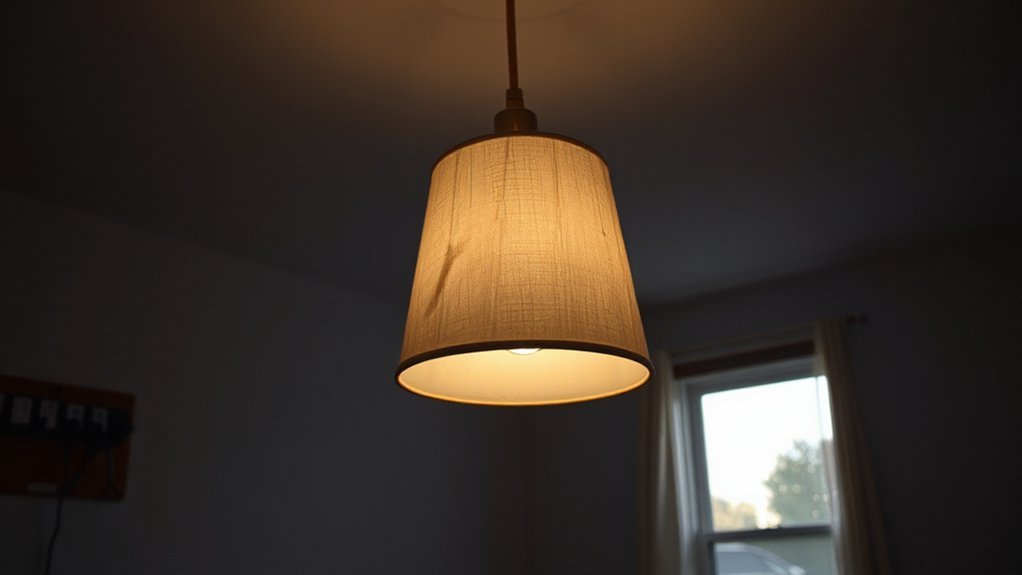
Although a brief flicker can come from a loose bulb or a momentary utility dip, you should treat repeated or worsening flickering as a potential electrical hazard until you’ve ruled out a code-compliant cause.
If you notice heat, a burning odor, buzzing, sizzling, or discoloration at switches, fixtures, or panel covers, shut the circuit off and call a licensed electrician.
Don’t ignore frequent dimming that coincides with motor starts, or lights that surge unusually bright; both can signal loose terminations, overloaded conductors, or failing devices.
If a breaker trips, won’t reset, or feels hot, stop troubleshooting.
You’ll protect lighting aesthetics, improve energy efficiency, and reduce fire risk by prioritizing safe diagnostics and proper torque, splicing, and grounding.
Is It One Bulb, One Room, or the Whole House?
Once you’ve ruled out obvious danger signs, narrow the problem by mapping the flicker’s scope: one bulb, one room/circuit, or the whole house. If it’s isolated to a single lamp or Decorative fixtures, suspect the fixture, socket, or driver compatibility; Lighting aesthetics upgrades often introduce dimmers, LEDs, and controls that don’t always play nicely together.
If multiple lights in one room flicker, track what’s on that circuit and whether switching loads correlates, which can indicate a localized connection issue or an overloaded branch circuit requiring professional evaluation.
If the entire house flickers—including receptacle-connected lamps—think service-level problems: utility voltage fluctuation, meter base issues, or a failing main connection. Document when it happens, what’s running, and call a licensed electrician or your utility.
Quick Fixes: Bulb Fit, Breaker Reset, and Load Checks
Before you start chasing wiring faults, you can rule out a lot of harmless flicker with three safe checks.
First, confirm the lamp or fixture is rated for the bulb type and wattage you’re using, then verify any dimmer is LED/CFL-compatible and properly rated. If you use Smart lighting, update the app/firmware and disable aggressive “adaptive” features that can pulse output.
Second, check your panel for a tripped breaker. Stand on a dry surface, look for a handle between ON and OFF, and reset it fully OFF then ON. If it trips again, stop and call a licensed electrician.
Third, do a load check: run large appliances one at a time and note flicker. Managing simultaneous loads improves energy efficiency.
Loose Bulbs and Worn Sockets That Cause Flicker
If your light flickers when you touch the lamp or tap the fixture, you’re likely dealing with a loose bulb or a socket that’s worn and not maintaining solid contact.
You should confirm the symptom with power off, inspect for heat damage or corrosion, and stop using the fixture if you see arcing, discoloration, or a loose center tab.
When replacement is needed, you’ll shut off the correct breaker, verify de-energization, and swap the socket or fixture with a properly rated, code-compliant part.
Signs Of Loose Bulbs
A loose bulb or a worn socket is one of the most common, code-relevant causes of flickering because it creates an intermittent connection that can arc and overheat. You’ll often notice quick, irregular flashes when the lamp is bumped, a bulb that wobbles, or light that cuts out then returns.
Watch for dark scorch marks on the bulb base, a hot-to-the-touch socket shell, or a faint buzzing. These are warning signs, not “lighting aesthetics” issues, and they can shorten bulb lifespan.
Before touching anything, switch off the breaker and let the bulb cool. If the bulb wasn’t fully seated, tighten it gently—no forcing.
If flicker persists, stop using that fixture and schedule service.
Diagnosing Worn Sockets
Once you’ve ruled out a bulb that simply wasn’t seated, focus on the socket itself—worn contacts and heat-damaged insulation can’t hold a solid connection and will keep producing intermittent flicker and arcing.
Turn off the breaker, verify power is off with a non-contact tester, and let the lamp cool.
Inspect the shell and center contact: pitting, dark spots, melted phenolic, or a springy tab that doesn’t press firmly indicate a worn socket.
Look for contact corrosion (green/white buildup) that increases resistance and heat.
Gently wiggle the bulb base; any play suggests poor tension.
If flicker changes when you tap the fixture or move the cord, suspect internal loosening.
Stop using the circuit if you smell burning.
Safe Replacement Steps
Before you replace anything, lock in a safe, code-compliant work setup: switch off the correct breaker (not just the wall switch). Verify the fixture is de-energized with a non-contact tester and a meter when accessible, and let the lamp or socket cool fully.
Tighten a loose bulb to snug—don’t over-torque—or swap in a known-good lamp to confirm the flicker follows the bulb. If the socket feels sloppy, shows heat marks, or won’t grip the base, replace the lampholder.
Use Electrical safety basics: insulated gloves as needed, eye protection, and a stable ladder.
Gather Replacement tools: screwdriver, wire stripper, needle-nose pliers, and approved wire connectors.
Match wattage, base type, and fixture rating, then restore power and recheck for flicker.
Switches, Dimmers, and LED Compatibility Issues
Although your wiring may be fine, a mismatched switch or dimmer often triggers LED flicker, strobing, or a faint “ghost” glow—especially when the fixture is on a dimmer.
First, confirm Dimmer compatibility: check the dimmer’s LED/CFL rating, minimum load, and approved bulb list, then match it to your lamp wattage and driver type.
If you’ve installed smart switches, verify they don’t require a neutral in that box before energizing.
Next, inspect switch wiring with power off at the breaker: make sure line and load aren’t reversed, terminals are tight, and any multi-way setup uses the correct dimmer model.
If flicker persists, replace the dimmer with a listed LED-rated unit and retest at full brightness.
Circuit Overloads and Wiring Faults Behind Recurring Flicker
If your lights still flicker after you’ve ruled out bulb and dimmer issues, the circuit itself may be dipping voltage under load or suffering from a loose, damaged, or miswired connection.
Start by noting what else runs when the flicker appears: heaters, microwaves, and compressors can push circuit capacity past safe limits. If flicker tracks these starts, redistribute loads or add a dedicated circuit—don’t upsize a breaker without matching wire gauge per code.
Next, inspect for wiring integrity problems: loose neutrals, backstabbed receptacles, worn switches, or overheated splices can arc and cause intermittent drops. Shut off power, verify de-energized, and tighten terminations to torque specs.
Call a licensed electrician if you find scorching, aluminum wiring, or repeated breaker trips.
Conclusion
Flickering lights aren’t just pesky—they can signal serious, system-wide stress. Start simple: snug the bulb, swap a suspect socket, reset a tripped breaker, and spread heavy loads. Then scrutinize switches and dimmers for LED compatibility. If the flicker follows a circuit, treat it as a wiring warning: loose lugs, failing neutrals, or overloaded conductors. Stay safety-first and code-compliant—shut power off, verify with a tester, and call a licensed electrician when in doubt.